
Lately, I’ve been talking to a lot of people who have yet to jump on the social media bandwagon. They aren’t necessarily technophobic, they just have other things to focus on in their business or their lives. Because of what I do, these people tend to ask me “What is all of this online stuff good for?”
That’s actually a really good question to be asking if you aren’t used to using all of these sites every day. Not “Where so I start?” or “How do I get into it?” but — especially if you are only doing it to further your business — “What, specifically, are these tools for, and how do I use them to my benefit?”
So, for those of us you who want a roadmap before you run out into traffic, I’ll try to explain a few of the big sites people are excited about right now. The goal isn’t to get you to use all of these, but to help you understand the tools in a basic way that allows you to decide whether or not to try them.
Twitter asks “What are you doing?” right at the top of their site. It was originally designed as a way to let your friends know what you were up to in short, easy-to-share portions (“I’m about to get a drink at Starbucks on Washington St. if anyone wants to join me.”). It quickly morphed into a public forum where anyone can talk to anyone — and everyone — else about what interests them.
Now, you can easily send messages to a few different groups through Twitter:
- People who are interested in what you, personally, have to say (your followers).
- People who are interested in a specific topic (through hashtags or Twitter Search).
- Any individual you want to send a specific message to, or you want to ask a question of (using the “@” sign and their Twitter name, e.g. @AdamWeiss).
Twitter is good for connecting with like-minded people, or for keeping up on the absolute latest news in a particular area. In a mundane example, you could track all mentions of “MBTA” to get a feel for what is happening on Boston’s public transit system. While that is mainly just a curiosity for most, if you are a PR person for the agency, it could be quite useful information. If you have a brand — or just a concept that is very important to your business — Twitter can provide a window into the latest news, attitudes, and happenings in any field.
Oh, and putting your recent Twitter updates on your website is a great way to always have fresh information for visitors.
Facebook is the current 800-pound gorilla in the social networking world. It is a place to connect with people you know, both personally and professionally. You set up a profile, with your picture, work and education vitals, interests, and basic contact information. You then find friends, colleagues, and old classmates and ask to be their “friend.” This lets you both keep current on what the other is doing and exchange messages.
Whenever you publicly do something new on Facebook (add a friend, comment on a photo), everyone you know is able to see that and decide whether to check out the profile, website, or photo that you just visited. This can be a bit disconcerting at first, with everyone seemingly “stalking” your online life. However, it is really a way for you to spread your influence quickly and efficiently. If you post a news article you found about your industry on Facebook, everyone you know will have the opportunity to see it if they visit your page. If one of your friends likes it enough to post it themselves, all of their friends will see it was well.
So, when you say “I just met with my client ________, and we talked about their new great service,” you are broadcasting your expertise and your client’s work to a large number of people. Better yet, if one of your friends makes a comment as simple as “Congratulations!” on something you’ve posted, all of their friends will see that note, along with the information you posted to get the praise. If two friends respond to you, you will have reached twice as many people without doing much work at all.
There are many more things you can do with Facebook (create pages for your business, become a fan of your favorite TV show, post Twitter-like “status updates,” etc.), but the above is where you should start. You’ll be surprised at the number of friends you’ll have just after you sign up — my mom recently created an account completely by accident, and she had 50 friends by the end of the week!
LinkedIn, when taken rather simplistically, can be considered “Facebook for Business.” It is a place where you can connect with people you have professional relationships with, get references and job referrals, and ask the experts in your contact list questions about their industries. It is also a good “mini-resume” and an automatically-updated Rolodex for people you do business with.
In my opinion, the one place where LinkedIn really shines is in its ability to help you find connections with the people you want to be talking to. If there is a particular expert or prospect who you want to get in touch with, a LinkedIn search will tell you who you know that knows them — and give you the option to ask for an introduction.
At this point, many people are using Facebook for a good number of the things LinkedIn is designed for, so — unless you know that a lot of people you want to interact with are already on LinkedIn and not on Facebook — I would recommend choosing Facebook over LinkedIn if you only want to sign up for just one of the two.
Delicious
Delicious (formerly del.icio.us) is a social bookmarking site. That may be a bit of an odd concept, but it is a useful one. Delicious is like the bookmarks feature of your web browser, posted online. There are a lot of cool things that can be done with delicious, but the “beginner” version is pretty simple: you can bookmark sites that you like, organize them, and share them with other people in your field.
Adding a link to your delicious bookmarks on your website (or embedding the actual list there) can instantly turn you into an industry resource. If your opinions are respected by others in your field, they will want to see what you are reading online. Delicious is a simple way to do that without much effort at all.
Digg
Digg is based on a very simple but powerful concept: people want to look at the stuff other people like. If there is something you like online, you can submit a link to Digg, and millions of people will have the chance to vote on whether to put it on the front page of the site. If a link makes it onto the front page, it could get hundreds of thousands of clicks.
Digg ignores one of the best things about the web — the ability to find what is useful to you, regardless of whether it is popular — but getting noticed there can get you more attention than you can handle (servers routinely crash if a site gets “Dugg”). If you have a strong interest in one of the categories of sites Digg covers, you can find great information every day. Also, if you produce great information, submitting it to Digg gives you a shot at being seen by millions.
YouTube
Everyone has heard of YouTube, and almost everyone has used it at this point. Millions of videos are watched every day on the Google-owned site, so if you are producing videos for any reason, they should probably be there. YouTube is also a great resource for your blog or website — it is extremely simple to put a YouTube video that is relevant to your work on your site using the “embed” info next to YouTube’s player. This gives you access to great content for free, and allows your video to easily spread throught the web — something I just experienced when my GV Mobile demo got 60,000 views in just a few days.
YouTube is just the search and delivery system for the videos; you have to have one to put it up. You can go the “quick and sloppy” route and use your webcam, or you can work with a producer or videographer to put up some really high-quality footage using YouTube’s HD playback feature.
Video can add a lot to a website, but it can also detract. The merits of the medium is beyond the scope of this post, but if you are going to be making video, put it on YouTube.
If this overview was useful to you, use it to try out some of the technologies I talked about: Tweet a link to it on Twitter, post it on your Facebook profile, save it on delicious, submit it to Digg, or even make a video about it for YouTube. The great thing about all of these tools is that they are easy to try, and it won’t really hurt anything if you decide not to get involved and delete your account. So, if one — or all — of these sites sounds good, give them a try!
 If you are a podcaster, you should consider making a change to your show’s site: instead of providing an “iPhone friendly” version of your site, send iPhone and iPod touch browsers right to your iTunes listing. This accomplishes two things: it keeps you from having to find (or make) a good mobile version of your site, and it gives your visitors the ability to add your podcast to their device immediately and start listening right away.
 I came across
  Last month,
 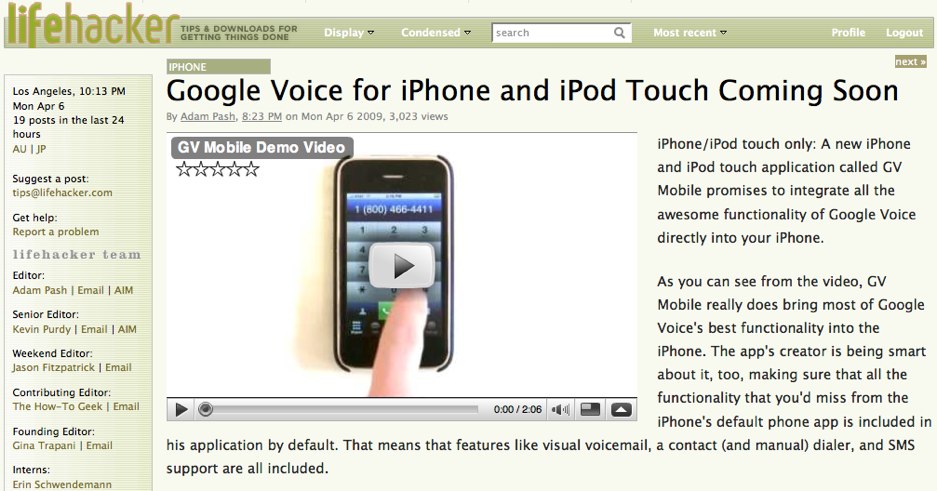 I just checked my Google Reader before going to sleep, and I was quite shocked to find the GV Mobile demo video I made at the top of , , , and who knows where else!